
Discount Vouchers - How to Set Up
reservie allows you to create and define discount vouchers which allow you to create offers for your passes or events. Setting up a discount code requires two simple steps and once setup are ready for use.
Introduction
reservie allows you to create and define discount vouchers which allow to you create offers for your passes or events. Setting up a discount code requires two simple steps and once setup are ready for use. These steps are:
- Define the discount voucher
- Grant an event permission to use the discount voucher
Step A - Define a voucher
Step 1: Navigate to the discount voucher section of reservie.
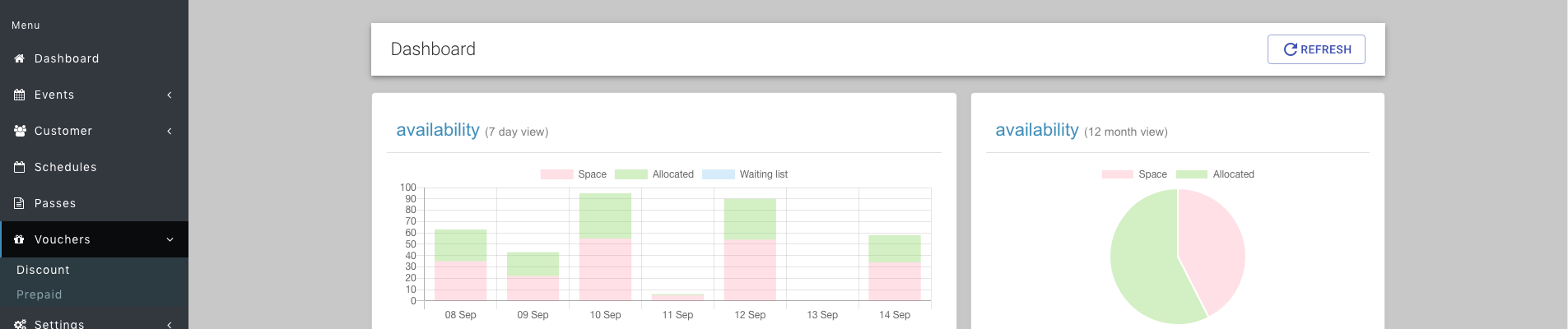
Step 2: Once in the discount voucher section, click the ‘Add voucher’ button

Step 3: Complete the presented form
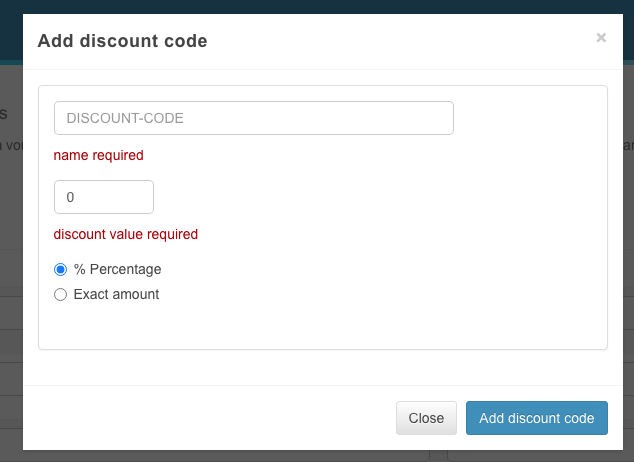
- DISCOUNT-CODE - this is the name or code that you will give to your clients to take advantage of the offer.
- % Percentage - this will discount the final price by the percentage supplied.
- Exact amount - this will discount the final price by the exact amount
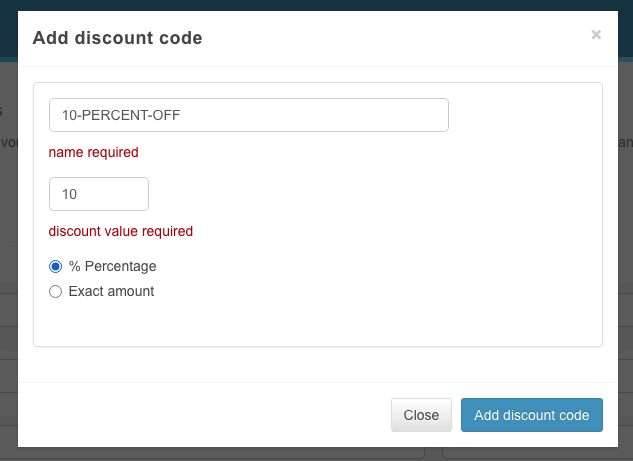
Example: If you wanted to customers to redeem a 10% off offer if they used voucher code 10-PERCENT-OFF, then you would setup the form as follows:
Step B - grant permission to an event
Once the voucher code has been assigned, you must explicitly tell events that customers are allowed to use it during checkout.
Step 1: Navigate to Events -> Course view
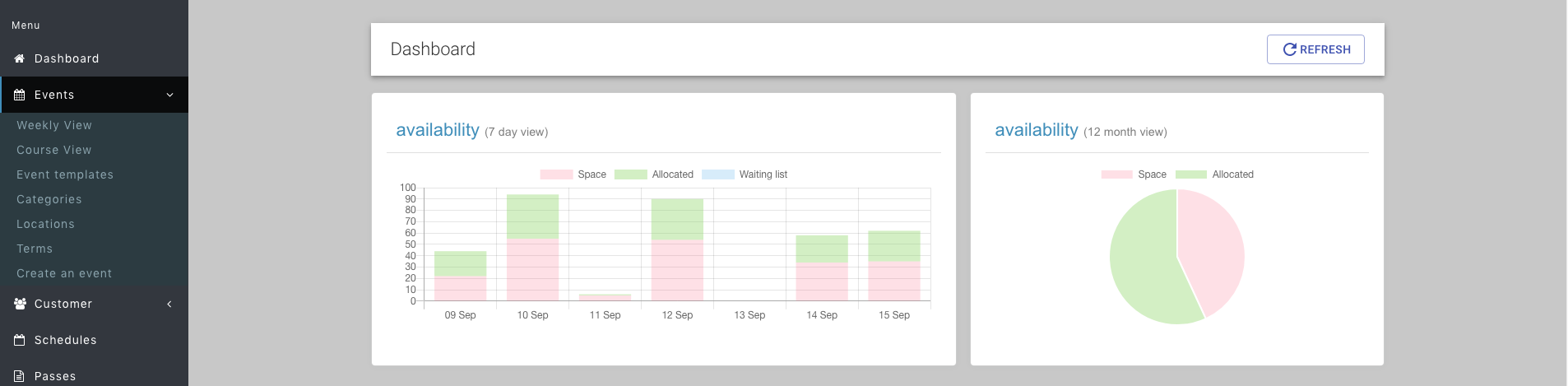
Step 2: Find your event in course view and click edit

Step 3: Walk through the wizard until you reach the pricing adjustments section
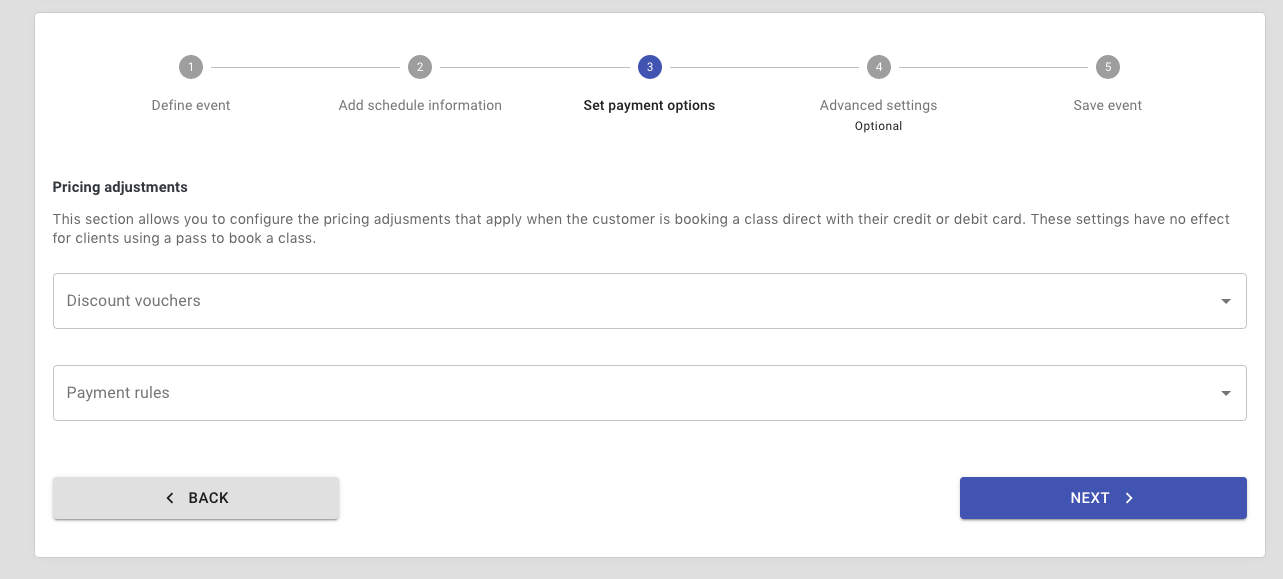
Step 4: Assign the discount voucher to event
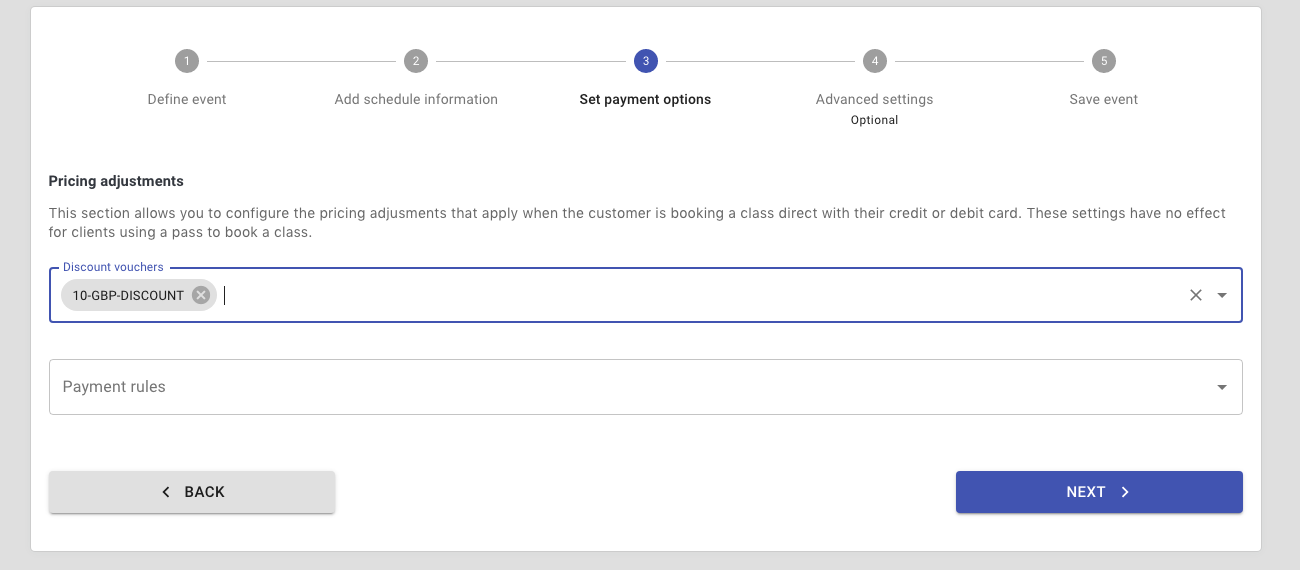
Step 5: Click next/save until you complete the wizard and the updated event saved. The voucher is now ready for use.