
Managing Facilitators
Facilitators in reservie represent the teachers or instructors who deliver your classes and events. This article explains how to add, edit, and manage facilitators within your reservie account.
Introduction
reservie allows limited 3rd party access to registers allowing them to derive and configure attendance of students and clients.
A third-party is typically a teacher, but may also be receptionists or event facilitators.
Adding a facilitator
Adding a facilitator is quick and simple and simply involves the account administrator registering the facilitator.
A facilitator must have a unique email address, as this is the principle mechanism by which the facilitator is recognised by the system.
To add a facilitator:
- Log in to you reservie account
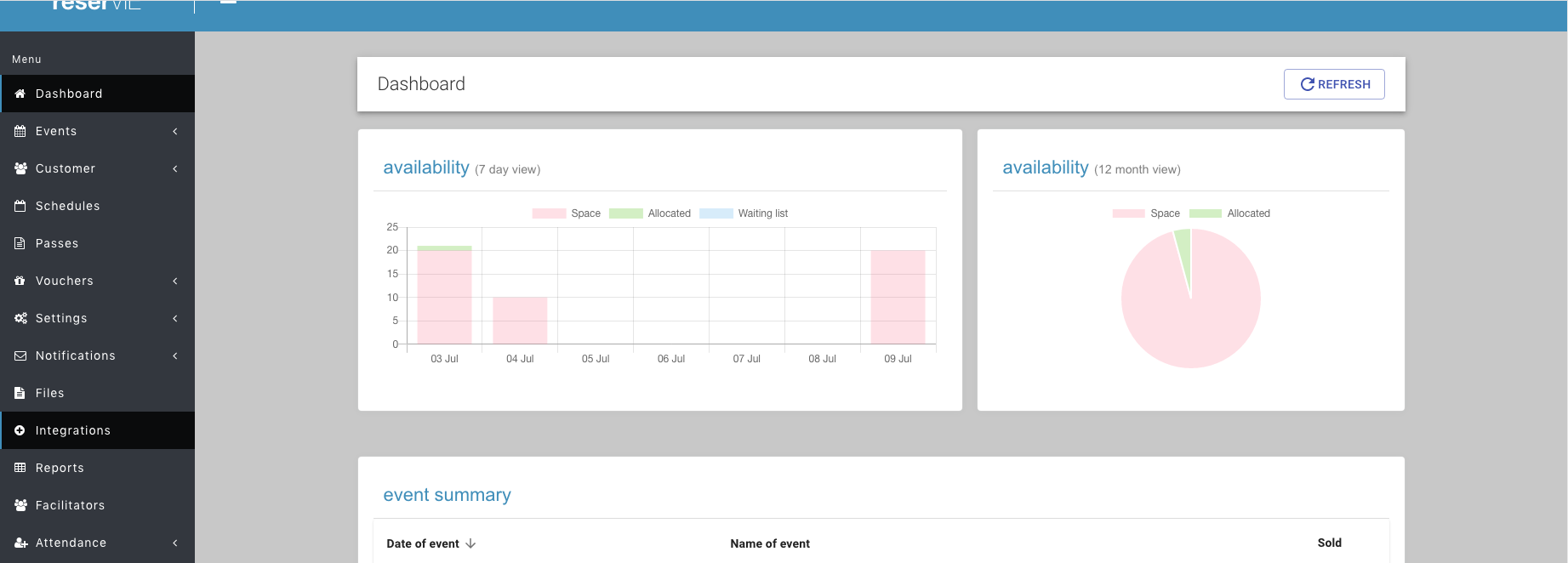
- Navigate to Facilitators from the left hand menu
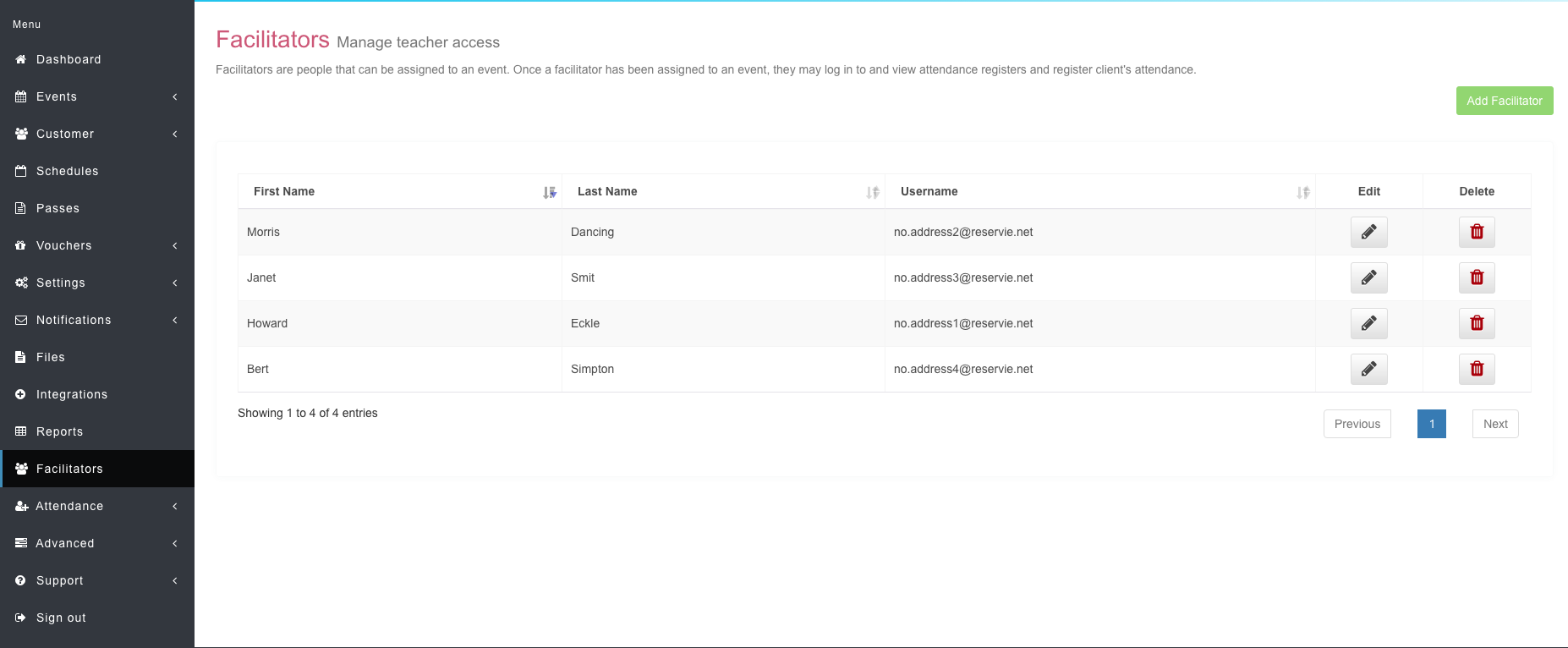
- Click the ‘Add facilitator’ button to add a new facilitator and complete the form
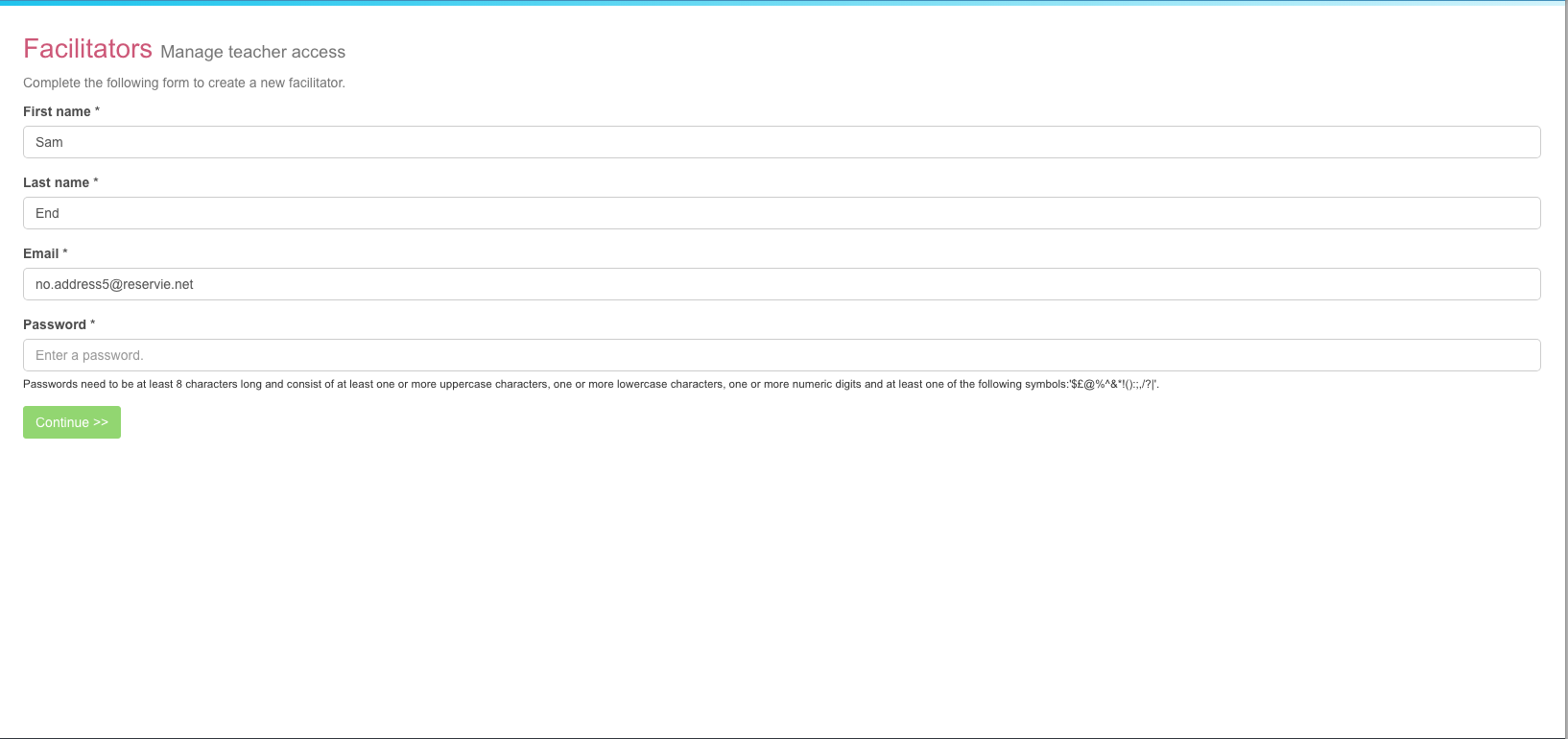
Upon completing the form, the facilitator will receive an email informing them that that they have been added to the system and provide them with a temporary password (which they can subsequently change).
Granting the facilitators event access
Once a facilitator has been granted access they are free to log in to the facilitators area. However, this is only part of the picture. To gain access to class registers, they must first be granted access to the event.
Adding a facilitator to an event can be done either at initial setup or after setup via the edit functionality. In both cases, the system will allow you to select facilitators in properties section of the wizard
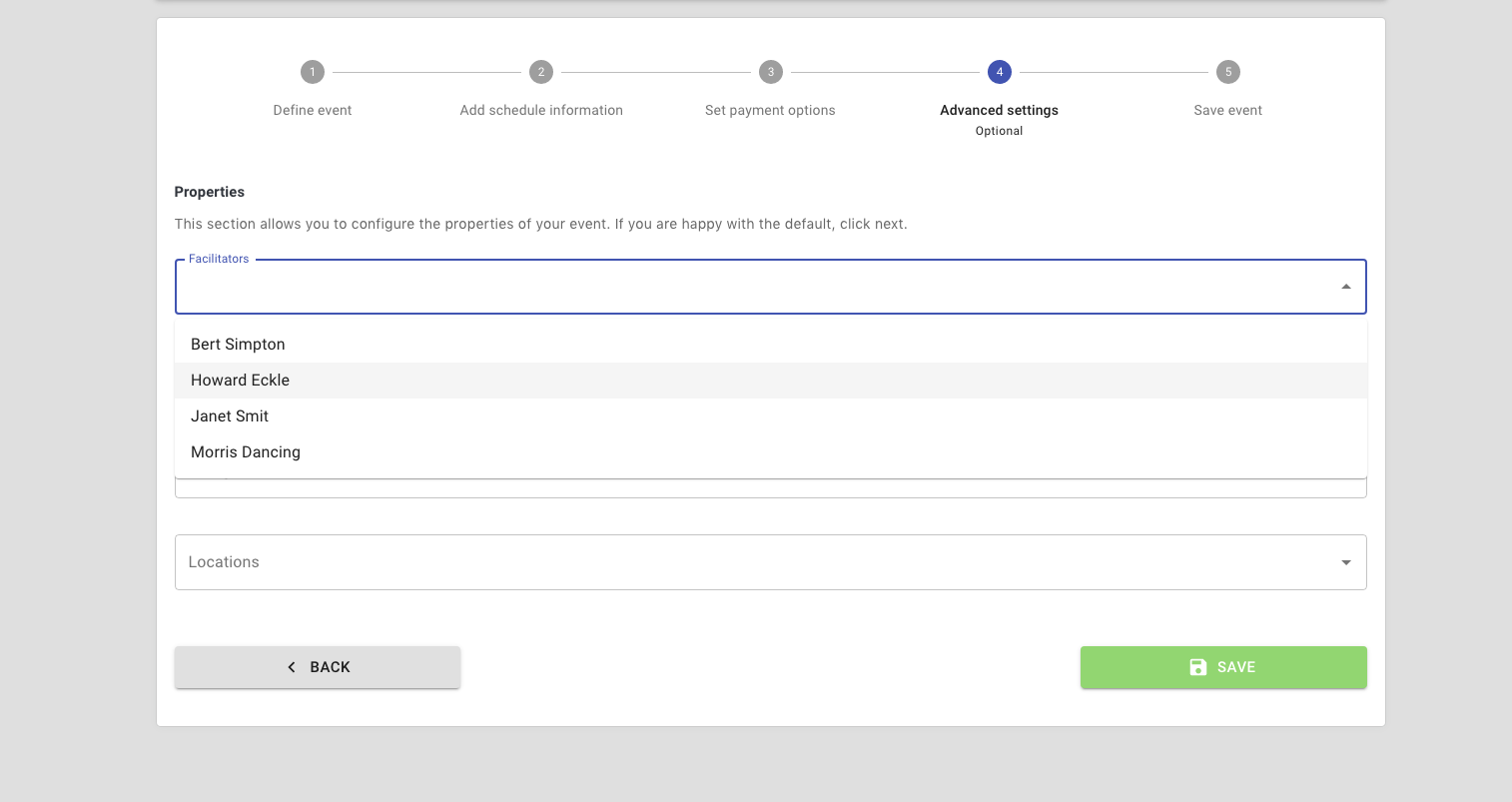
Once they have been granted access, facilitators will be able to access their assign event register.
Accessing the facilitators area
Once a facilitator has been granted access, they are free to log in. This is done via your unique company reservie url and will be of the form:
https://<your-company>.reservie.net/facilitators
So, for example, if your company was called abc-123-xyz-yoga then you might have the address:
https://abc-123-xyz-yoga.reservie.netand so your facilitator access url would be:
https://abc-123-xyz-yoga.reservie.net/facilitators