
Overview
Credit notes allow you to issue monetary credit to a specific customer’s account. The credit can then be used towards future bookings. This is useful for handling refunds as store credit, compensating customers, or rewarding loyalty.
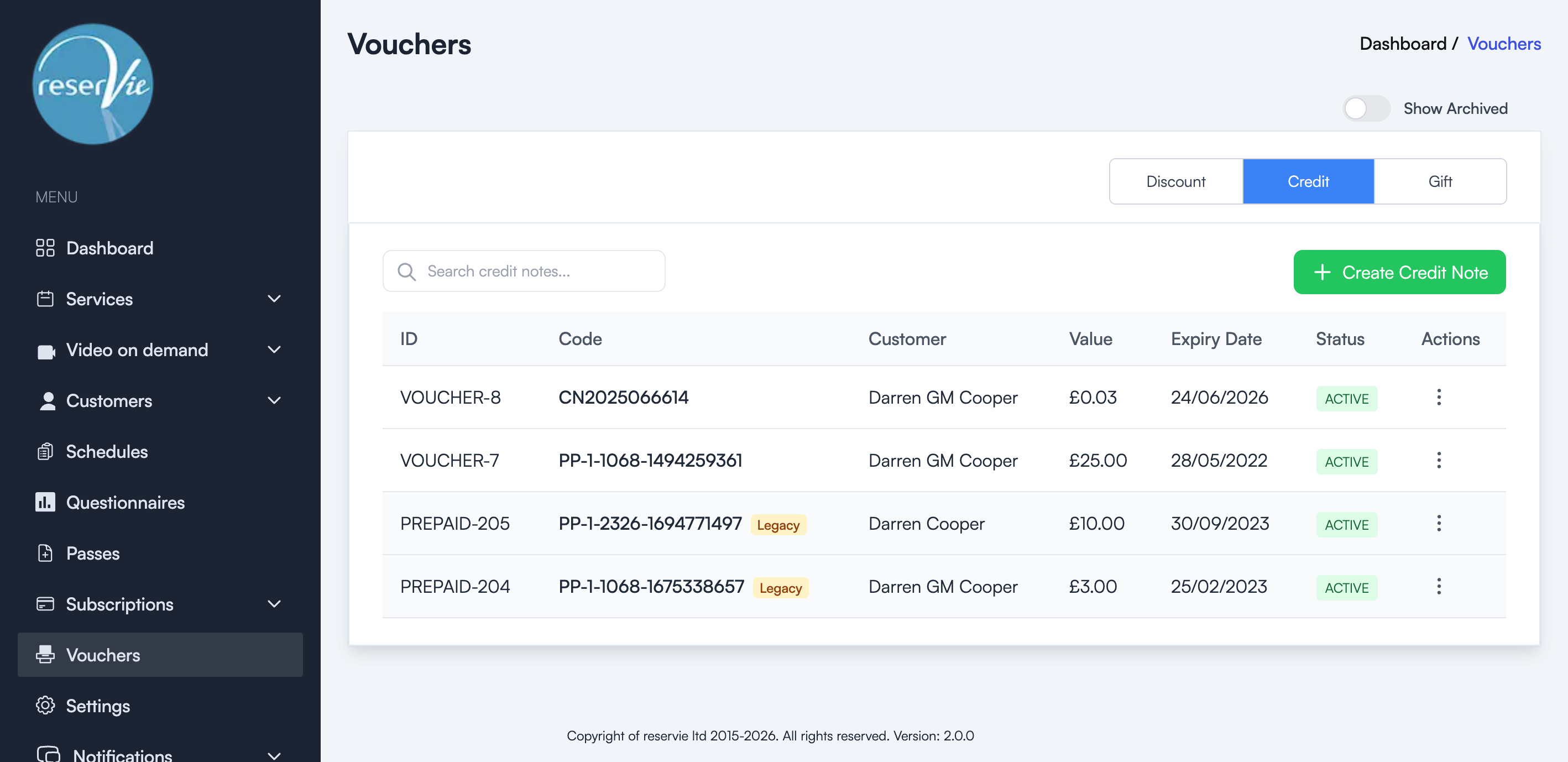
Credit notes are managed from the Vouchers page under the Credit tab.
Creating a credit note
- Navigate to Vouchers from the sidebar menu.
- Click the Credit tab.
- Click the + Create Credit Note button.
- Fill in the required details:
- Customer — Select the customer to receive the credit.
- Value — The monetary amount of the credit.
- Expiry Date — When the credit expires (optional).
- Click Save to issue the credit note.
The credit note will be assigned a unique code and the customer will be able to use it at checkout.
Managing existing credit notes
The Credit tab shows all issued credit notes in a table with:
| Column | Description |
|---|---|
| ID | The unique credit note identifier |
| Code | The auto-generated credit note code |
| Customer | The customer the credit was issued to |
| Value | The monetary value of the credit |
| Expiry Date | When the credit expires |
| Status | Active or expired |
| Actions | Edit or manage the credit note |
Note: Credit notes marked as Legacy were migrated from the previous version of Reservie (previously called “Prepaid Vouchers”) and continue to work as before.
Common uses
- Service recovery — Issue credit when a class is cancelled or a customer has a poor experience.
- Refund alternative — Offer store credit instead of a monetary refund to keep the revenue within your business.
- Loyalty rewards — Reward repeat customers with bonus credit towards their next booking.
- Promotional credit — Give new customers a small credit to encourage their first booking.