
Overview
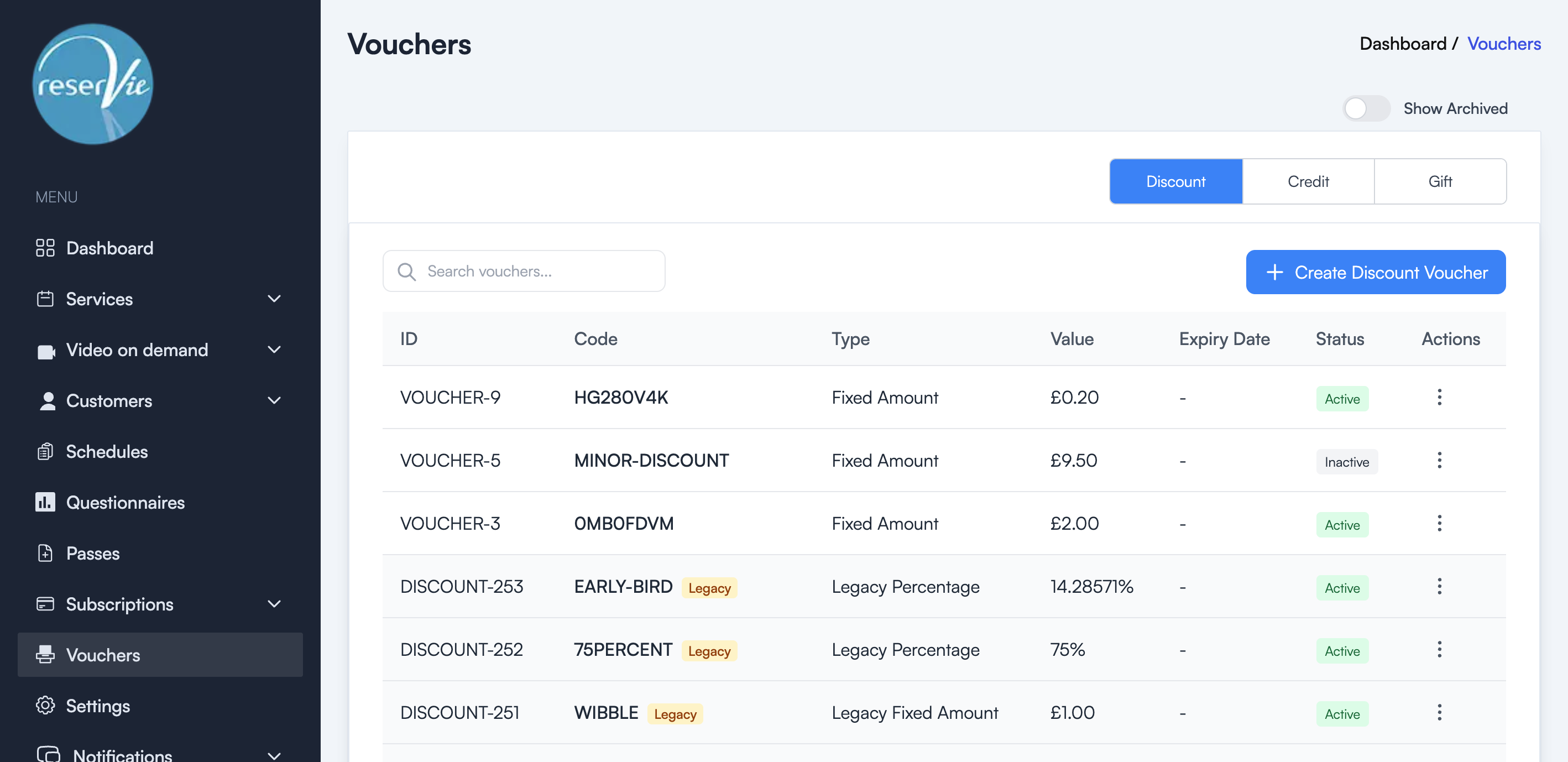
Discount vouchers let you offer percentage or fixed-amount discounts to your customers. Customers enter a voucher code at checkout to receive the discount. Vouchers are managed from the Vouchers page under the Discount tab.
Creating a discount voucher
- Navigate to Vouchers from the sidebar menu.
- Make sure the Discount tab is selected.
- Click the + Create Discount Voucher button.
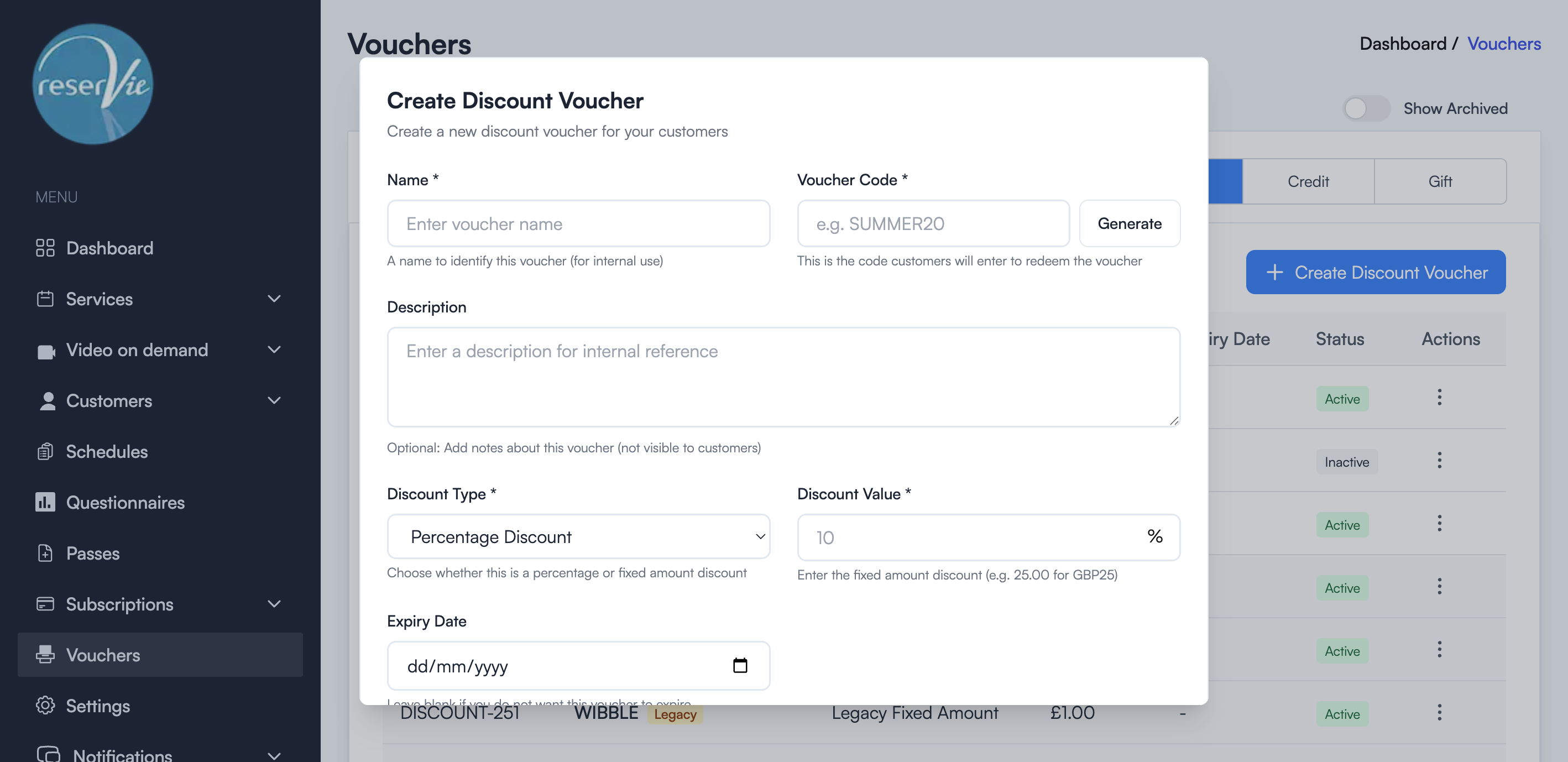
- Fill in the form fields:
Name — An internal name to identify this voucher (not shown to customers).
Voucher Code — The code customers will enter at checkout (e.g. SUMMER20). You can type your own or click Generate to create a random code.
Description — Optional internal notes about the voucher.
Discount Type — Choose between:
- Percentage Discount — e.g. 20% off the total
- Fixed Amount Discount — e.g. £5.00 off the total
Discount Value — The amount of the discount (percentage or fixed amount depending on the type selected).
Expiry Date — Optionally set a date after which the voucher will no longer be valid. Leave blank if the voucher should not expire.
Usage Limit Per User — The maximum number of times a single customer can use this voucher. Set to 0 for unlimited uses.
Status — Set to Active to make the voucher immediately available, or Inactive to create it without enabling it yet.
- Click Save Voucher to create the discount.
Managing existing vouchers
From the Discount tab, you can see all your discount vouchers in a table showing:
| Column | Description |
|---|---|
| ID | The unique voucher identifier |
| Code | The code customers enter at checkout |
| Type | Fixed Amount or Percentage |
| Value | The discount amount |
| Expiry Date | When the voucher expires (or - if no expiry) |
| Status | Active or Inactive |
| Actions | Edit or archive the voucher |
Click the three-dot menu in the Actions column to edit or archive a voucher.
Note: Vouchers marked as Legacy were migrated from the previous version of Reservie and continue to work as before.
Assigning vouchers to events
Once created, discount vouchers are automatically available for use across all events. Customers simply enter the code during checkout to apply the discount.