
Prepaid Vouchers - How to Set Up
reservie allows you to create and define prepaid vouchers which allow you to offer credit to your clients which can be redeemed against passes and events. Setting up a prepaid code is quick and simple.
Introduction
reservie allows you to create and define prepaid vouchers which allow to you offer credit to your clients which can be redeemed against passes and events. Setting up a prepaid code is quick and simple. The process is as follows:
Step 1: Navigate to the prepaid voucher section of reservie.
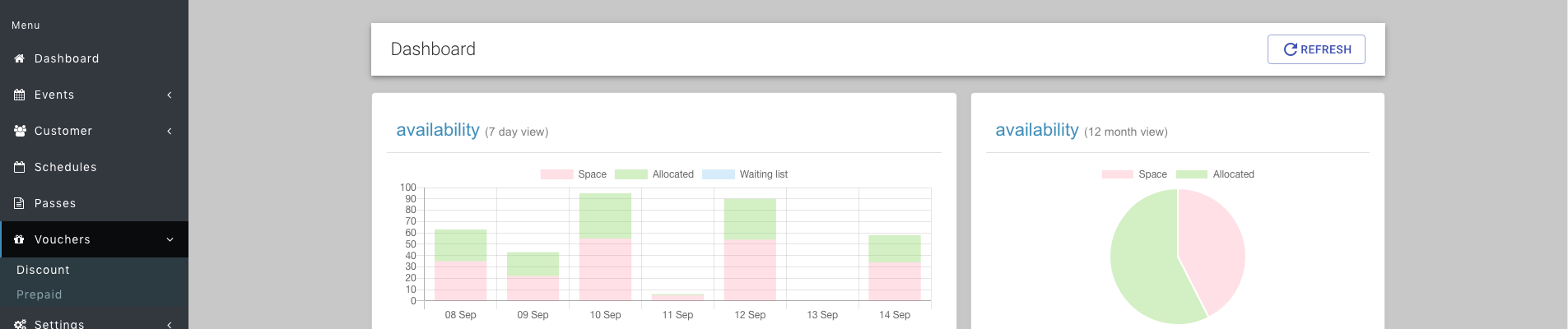
Step 2: Once in the prepaid voucher section, click the ‘Add voucher’ button

Step 3a: Complete the presented form - select the person to whom the pre-paid voucher is assigned.
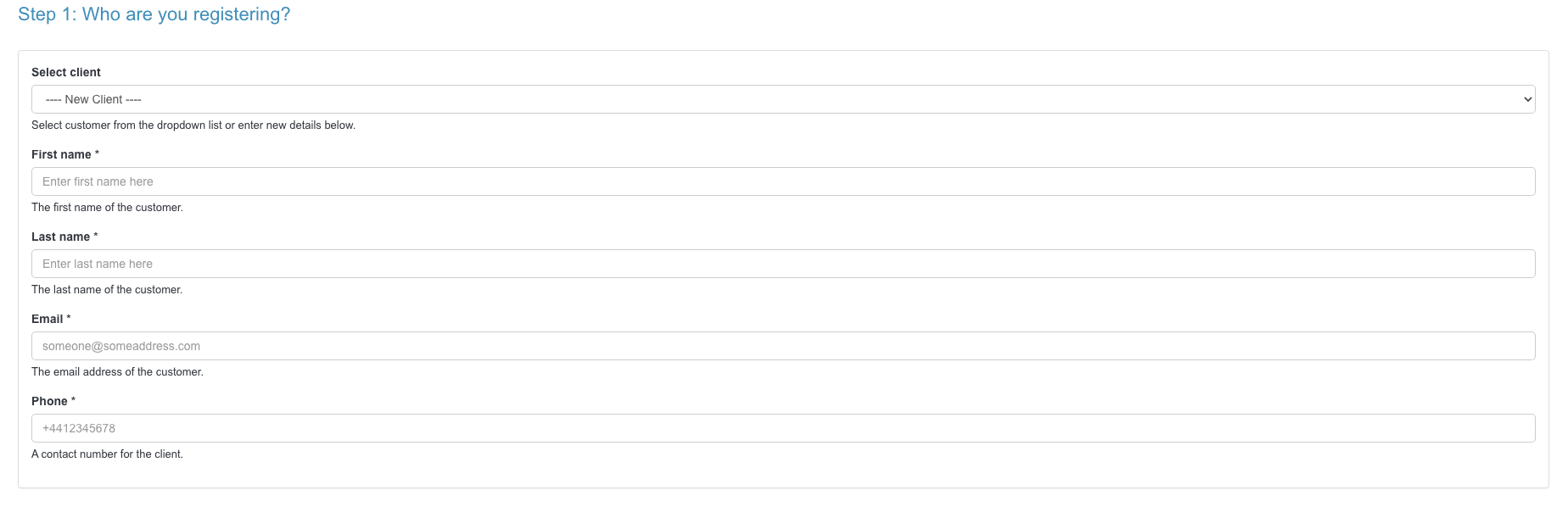
Step 3b: Complete the presented form - assign a value to the voucher.
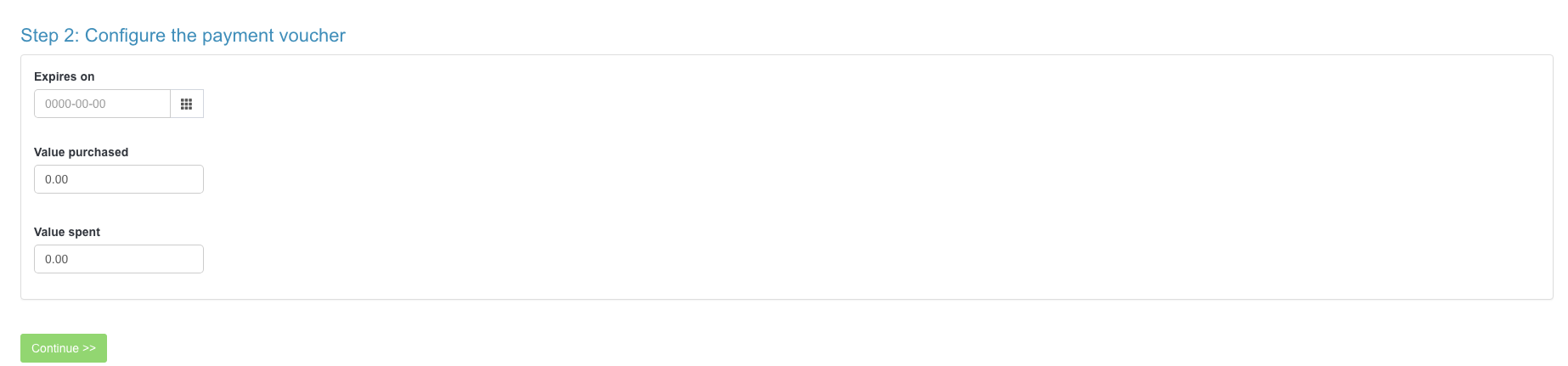
The value part of the voucher has 3 parts:
- Expiry - this is the date that the voucher expires. The voucher cannot be redeemed after this date.
- Value purchased - this is the value of the voucher. So for example, if a client had £10 of credit, you would enter 10 in this field.
- Value spent - it is recommended that you do not edit this field. This represents the amount of credit that has so far been redeemed.
Step 4. Click continue - the system will now provide you with a code. This is typically of the form:
PP-XXXX-YYYYYYYY
Send this unique code to your client, which they can use during checkout.