
Overview
Passes provide a flexible way for customers to pre-purchase credits that can be redeemed against one or more events. Instead of paying for each class individually, customers buy a pass with a set number of credits and use those credits to book into events.
Passes are managed from the Passes page in the sidebar menu.
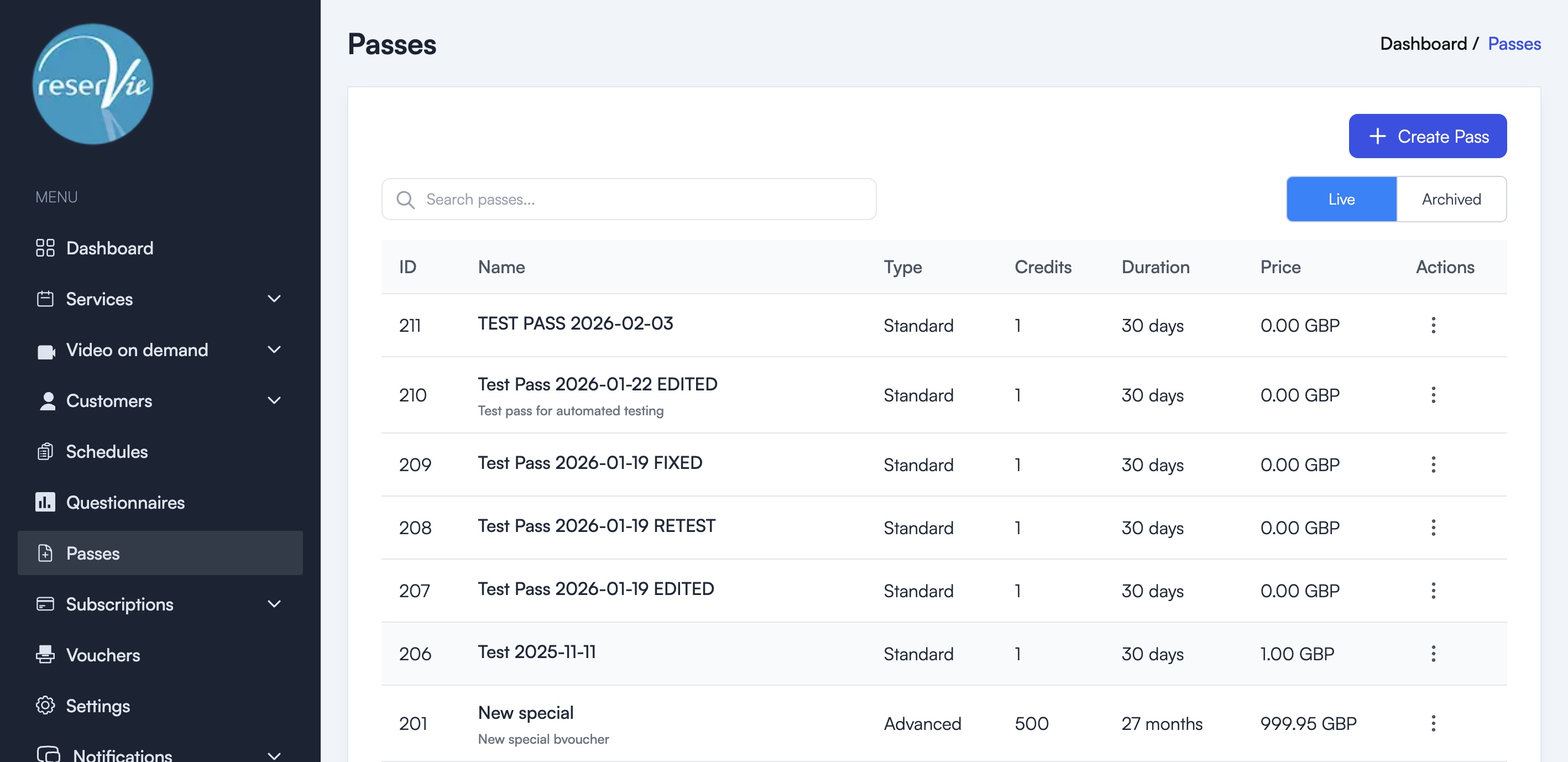
How passes work
- You create a pass — Define the name, number of credits, validity period, price, and any limits.
- Customers purchase the pass — Through your schedule or booking portal, customers buy the pass and receive credits.
- Customers redeem credits — When booking an event, customers can use their pass credits instead of paying the full price.
- Credits expire — After the validity period ends, any unused credits are no longer available.
Pass types
Reservie supports two pass start modes:
- Standard — The pass validity period begins from the date and time of purchase.
- Advanced — The pass validity period begins from the date of the first event booked using the pass, rather than the purchase date.
Note: Advanced passes revert to standard behaviour in certain scenarios, such as when purchased via a subscription or manually assigned by an administrator.
Key concepts
| Concept | Description |
|---|---|
| Credits | The number of event bookings included in the pass |
| Duration | How long the pass remains active after it starts (days or months) |
| Price | The amount the customer pays for the pass |
| Type | Standard (starts at purchase) or Advanced (starts at first event) |
When to use passes
- Class bundles — Sell a pack of 10 yoga classes at a discounted rate
- Monthly credits — Offer a pass with 4 credits valid for 30 days
- Trial offers — Create a low-cost pass with limited credits for new customers
- Flexible booking — Let customers attend any class type using the same pass credits
Next steps
See Setting Up a Pass for step-by-step instructions on creating and managing passes.