
Booking notification
Updated Jan 15, 2024 1 min read
Learn how to set up and edit booking notifications so you receive an email when people book into a class on reservie.
Do I get a notification when people book into a class or do I have to go into reservie to check?
It is possible to receive a notification when people book into a class, but it is not set by default. Please contact us if you’d like us to set up a default email which you can then edit as required.
Once the notification it set up, please follow the steps to edit it:
Log in to https://my.reservie.net
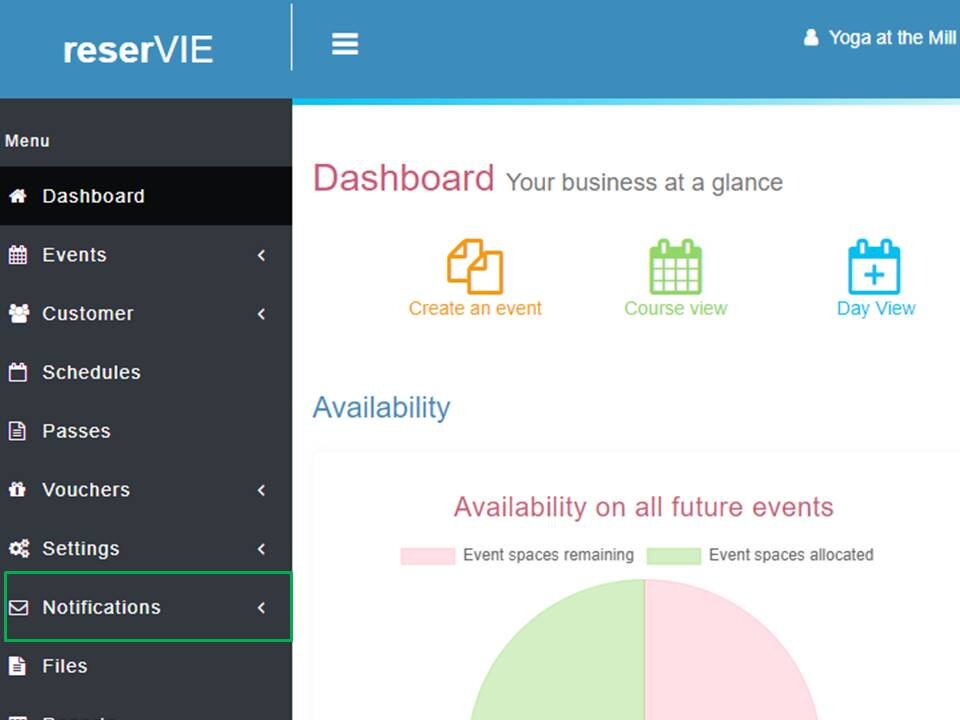
Click Notifications -> Email templates. Upon clicking here there are a few default emails.
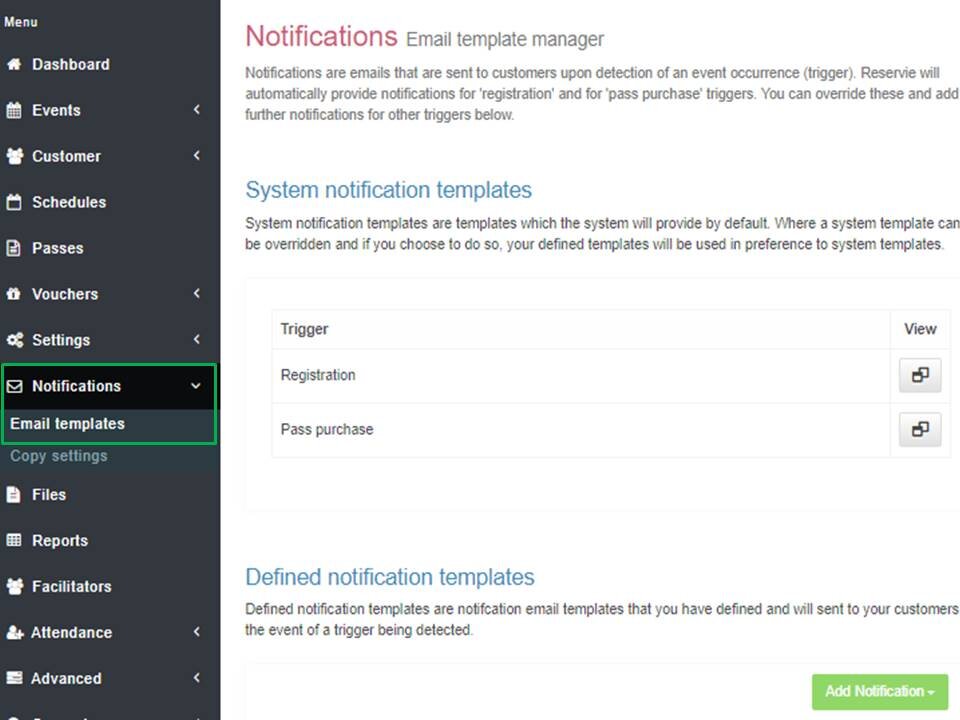
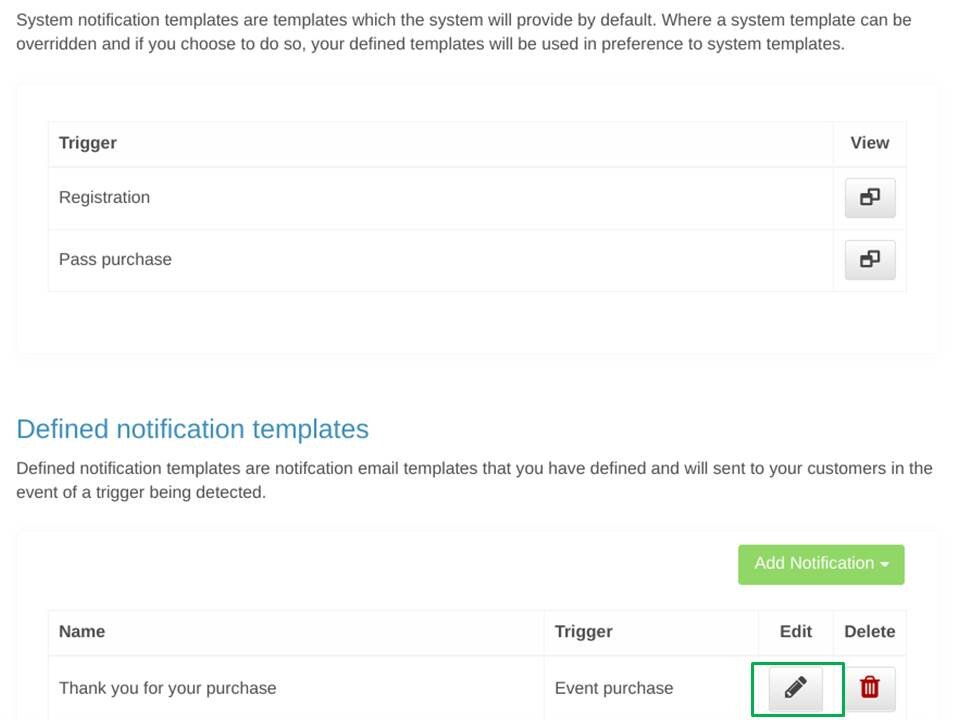
Scroll down to Defined notification templates.
Click on the edit icon next to Event purchase.
- Edit the template in Message body*.
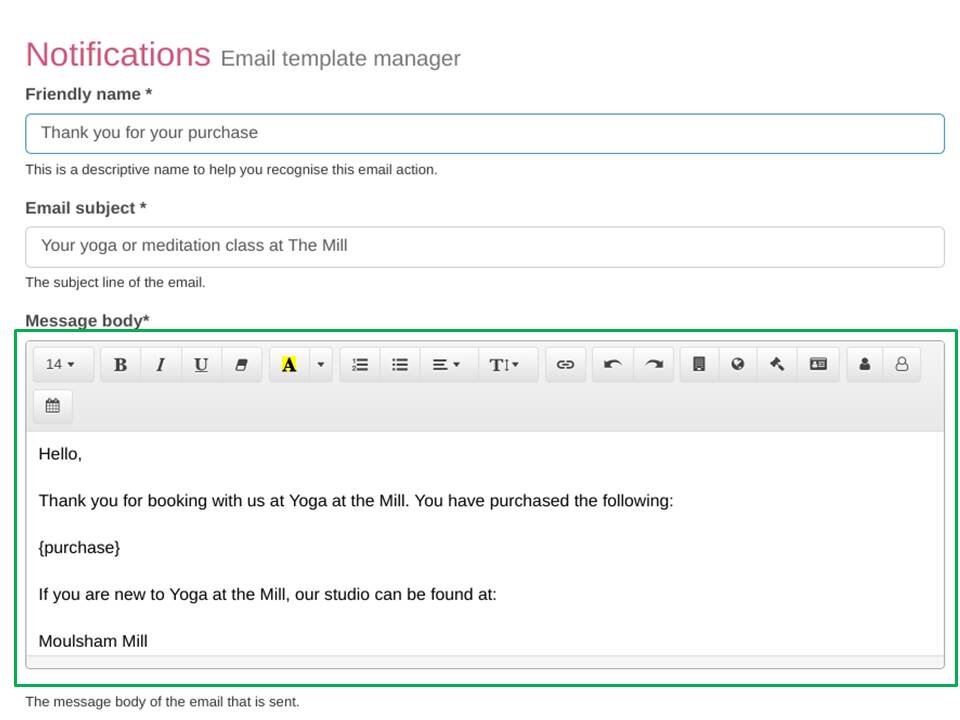
- When finished, scroll down and click green Continue >> button on the bottom of the page.