
Cancellation Policies
Configure how and when your customers can cancel their bookings, with separate rules for pass and card payments.
Overview
The Cancellation Policies tab lets you control whether customers can cancel their bookings from their account portal, and how far in advance they must do so. Policies are configured separately depending on how the original booking was paid for.
To access it, navigate to Settings from the sidebar menu, then click the Cancellation Policies tab.
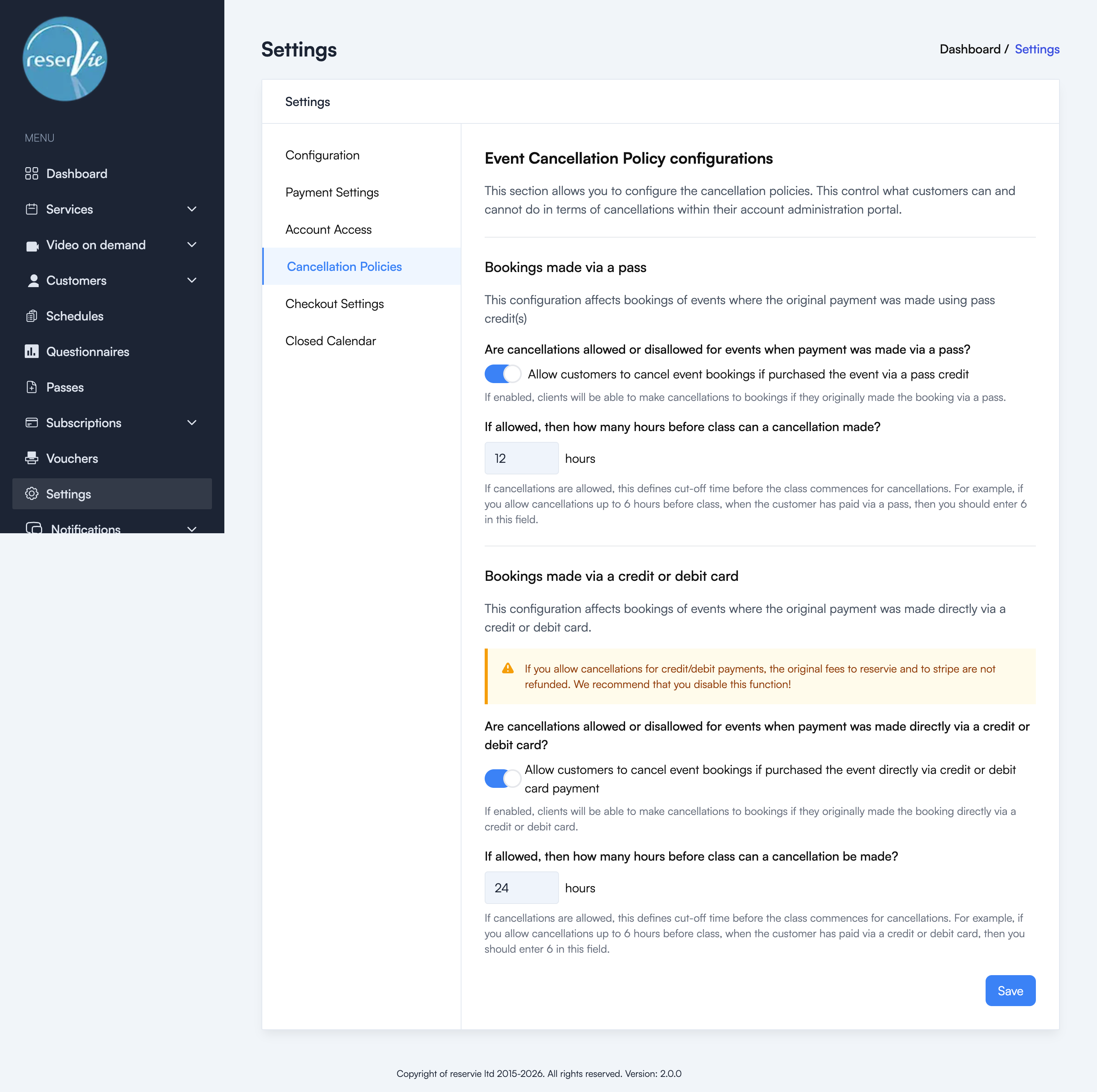
Bookings made via a pass
These settings apply when a customer booked using pass credits.
Allow or disallow cancellations
Use the toggle to enable or disable cancellations for pass-based bookings. When enabled, customers can cancel bookings they made using a pass and their pass credit will be returned.
Cancellation cut-off time
If cancellations are allowed, set the minimum number of hours before the class starts that a cancellation can be made.
Example: If you set this to 12, customers must cancel at least 12 hours before the class. Any cancellation requests made within 12 hours of the start time will be rejected.
Bookings made via credit or debit card
These settings apply when a customer paid directly with a credit or debit card.
Warning: If you allow cancellations for credit/debit card payments, the original processing fees charged by Reservie and Stripe are not refunded. We recommend disabling this option unless you have a specific reason to allow it.
Allow or disallow cancellations
Use the toggle to enable or disable cancellations for card-based bookings. When enabled, the customer will receive a refund to their original payment method.
Cancellation cut-off time
If cancellations are allowed, set the minimum number of hours before the class starts that a cancellation can be made.
Example: If you set this to 24, customers must cancel at least 24 hours before the class starts.
Saving changes
After configuring your policies, click Save. The changes apply immediately to all future cancellation requests.